
Your Job May Be Comfortable. But Is Your Career Still Growing?
You know your daily tasks. You understand the processes. You can probably finish certain assignments without thinking twice. On paper, everything looks fine.Yet, somewhere between another repetitive workday and another missed opportunity, a question starts appearing:“Am I actually growing, or am I just getting better at doing the same thing?”As artificial intelligence, automation, cloud technologies, and data-driven decision-making reshape workplaces, professionals are increasingly expected to learn new tools and adapt to changing roles. The World Economic Forum’s Future of Jobs Report 2025 identifies technological change as a major force transforming skills and employment through 2030.The good news? Feeling stuck does not necessarily mean you need to quit your job. Sometimes, it means you need to upgrade your skills before making your next career move.If you have been considering IT classes in Pune, here are five signs that an upskilling course could be the next step in your professional journey.1. Your Daily Work Has Become Predictable, but Your Learning Has Stopped
Remember when your job challenged you? You had new tools to explore, unfamiliar problems to solve, and skills to develop.Now, your workday may feel like a repeated checklist. You complete your tasks efficiently, but you rarely learn anything new. Your responsibilities remain unchanged, and opportunities to work on more advanced projects seem limited.Why This Is a Career Warning Sign
Experience is valuable, but experience without continuous learning can eventually limit your options. If your industry is adopting new technologies while your role remains unchanged, the gap between your current skills and market expectations may grow.For example, a professional who has spent years preparing manual Excel reports may discover that employers increasingly expect knowledge of SQL, Power BI, Python, or automated reporting workflows.The solution is not to dismiss your existing experience. It is to build on it.What You Can Do
Identify one skill that could make your current work more valuable. If you work with reports, explore Data Analytics or Power BI. If you enjoy problem-solving and application development, consider Python or Java Full Stack Development.A structured upskilling course can help you move from simply completing tasks to understanding how to improve, automate, or build better solutions.2. You Keep Seeing Better Job Opportunities, but You Don’t Meet the Skill Requirements
You open a job portal, find an exciting role, and start reading the description.
The responsibilities sound interesting. The company seems like a great place to work. Then you reach the technical requirements.
SQL. Python. Power BI. Java. Cloud fundamentals. APIs. Git. Data visualization.
You recognize some of the terms, but you cannot confidently say you have hands-on experience with them.
So, you close the tab.
If this happens repeatedly, it may be a sign that your career ambitions have moved ahead of your current skill set.
The Skill-Gap Test
Open five job descriptions for roles you would genuinely like to apply for. Write down the technical skills that appear most frequently.
Ask yourself:
- Which skills do I already have?
- Endpoint (/api/login, /api/users)
- Headers (authorization, content type)
- Which skills have I only heard about?
- Which skills can I demonstrate through a real project?
- What would I need to learn to become a stronger candidate?
This simple exercise can turn vague career frustration into a practical learning plan.
For professionals exploring IT courses in Pune with placement, the important question is not just which course is popular. It is which course aligns with the skills employers are asking for in the roles they want.
3. You’re Working Hard, but Your Career Growth Has Slowed Down
You may be putting in more effort than ever, yet your responsibilities, designation, or compensation have remained almost the same.
While salary growth depends on many factors, including company performance and market conditions, limited skill development can sometimes make it harder to move into higher-value roles.
For example, an employee who only knows basic reporting may have fewer opportunities than someone who can also build interactive dashboards, write SQL queries, and explain business insights. Similarly, a developer who expands from basic programming to full stack application development may become eligible for a broader range of technical responsibilities.
Upskilling Is About Increasing Your Options
An IT upskilling course is not a guarantee of a promotion or salary increase. Its real value is that it can help you develop capabilities that make you eligible for different responsibilities and career paths.
| Your Current Interest or Experience | Potential Upskilling Direction |
|---|---|
| Excel, reporting, or business operations | Data Analytics, SQL, Power BI |
| Programming fundamentals | Python or Java Full Stack Development |
| Working with business data | Data Analytics with Gen AI |
| Interest in application development | Frontend and Backend Development |
| Technical support or infrastructure | Cloud, Networking, or DevOps Fundamentals |
The right direction depends on your background, interests, and the type of work you want to do next.
4. New Technology Makes You Feel Anxious Instead of Curious
Before processing the request, the backend performs safety checks.Authentication Checks
- Is the user logged in?
- Is the token valid and unexpired?
Validation Checks
- Are required fields present?
- Is the data format correct?
- Are values within allowed limits?
- Security vulnerabilities
- Invalid database records
- Application crashes
Step 4: Business Logic Execution
This is the decision-making layer of the API.Business Logic Handles:
- Rules and conditions
- Permissions
- Data processing
- Checking if a user already exists
- Calculating totals or discounts
- Restricting access to certain data
Step 5: Database Interaction
If data needs to be stored or retrieved, the backend communicates with the database.What Happens Here
- Queries are executed (SELECT, INSERT, UPDATE, DELETE)
- Data is fetched or saved
- Results are returned to the logic layer
Important Rule
The frontend never communicates directly with the database.Common Beginner Issues
- Fetching unnecessary data
- Running queries inside loops
- Poorly designed tables
Step 6: Creating the API Response
After logic and database operations are complete, the backend prepares a response.A Response Typically Includes:
- HTTP status code (200, 400, 401, 500)
- Message
- Data (if applicable)
Step 7: Sending the Response to the Client
The backend sends the response back to the client, where:- The frontend reads the status
- Displays messages or data
- Updates the UI
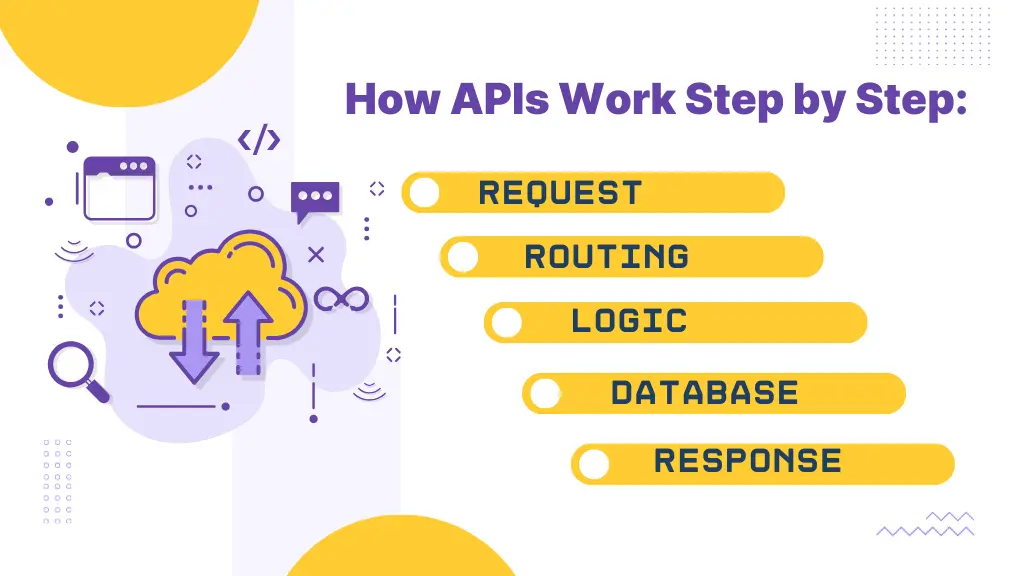
Complete API Flow (Quick Summary)
- Client sends request
- Backend receives request
- Router matches endpoint
- Authentication and validation run
- Business logic executes
- Database is accessed
- Response is created
- Response is returned
Why Beginners Struggle With APIs
Most confusion happens because learners:- Jump straight into frameworks
- Copy code without understanding flow
- Don’t visualize the request lifecycle
How to Practice and Improve API Skills
- Trace one request from start to finish
- Add logs at each step
- Practice explaining API flow out loud
- Build small APIs from scratch
- Focus on fundamentals over tools
Final Thoughts
APIs are not just endpoints—they are structured processes. When you understand how requests move through routing, validation, logic, databases, and responses, backend development becomes far more intuitive.Master the flow, and APIs will stop feeling like magic—they’ll start making sense.Take the Next Step in Backend & API Mastery
If you want to build strong backend and API skills that align with real industry requirements, ITView offers practical, hands-on training programs focused on backend development, APIs, and databases.Based in Pimpri Chinchwad, ITView provides easy access to quality IT education for learners across Pune.Start your journey toward becoming a confident backend developer—train with ITView today.FAQs:
Q1. What happens first when an API is called?
The client sends an HTTP request containing the method, endpoint, headers, and optional data
Q2. Why is routing important in APIs?
Routing ensures that each request is handled by the correct backend function without mixing responsibilities.
Q3. Should authentication run before business logic?
Yes. Authentication and validation should always happen before executing any logic or database operations.
Q4. Can the frontend directly access the database?
No. Direct database access from the frontend is unsafe and breaks application security.
Q5. How can I improve my API understanding for interviews?
Practice explaining the full API lifecycle step by step and build small APIs without relying heavily on frameworks.
